
My Digital Backup Strategy
By Mike Maddaloni on Monday, April 25, 2016 at 08:05 PM with 1 comments
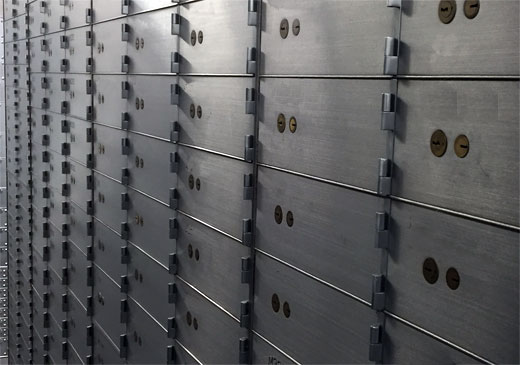
Do you know where your files are?
You know, all of those bits and bytes that make up video of your baby’s first steps, PDF files of your tax returns, those songs from high school you can’t get out of your head. You know... your life!
As our lives become more and more digital, there is more involved in managing those files – our digital assets – so we know what and where they are, and more importantly they don’t get lost forever. In other words, they need to be backed up.
Been There, Lost That
Over the years I have had my fair share of lost data, files, information – whatever you prefer to call it. From misplacing floppy discs to hard drive crashes to not being able to restore deleted files, there are many things I have lost in part or whole. In some cases there were copies of the files elsewhere, whether on another computer, server or in paper form. And in some cases there were not.
From my own experiences and observing and helping others who have lost data and files over the years, I have evolved my backup strategy. This strategy has also morphed based on my computer usage coupled with advances in technology.
Backups from Micro to Macro
I will now share with you my current backup strategy which I have been using for several years now. I will start with the “micro” or day-to-day elements, traveling to the “macro” or more involved.
Keeper Vault – Keeper is a secure app and service I have used on a daily basis for years, yet I am surprised I haven’t written about it before… no time like the present I guess.
Keeper has its roots in secure password management, and that is when I started using it several years ago. Where we don’t often think of logins and passwords as something to backup, try losing some sticky notes or that unprotected spreadsheet of logins and see what happens.
I went with Keeper for 2 reasons. First, only the end user can access their data, not even the Keeper staff. You can read more on the nuts and bolts of how Keeper works here. In short, it’s very secure and I like that. The second reason is I met Keeper’s founder, Darren Guccione, years ago at a tech networking event as he and Keeper are based in Chicago. I met someone passionate about technology, security and consumer usability, and I was sold on his solution to all of them.
Recently Keeper began offering file storage, where you can get space to store files through their digital vault. I began using it but nowhere as I should. I have stored things like a picture of my AAA card, so in case I lose it or am not carrying it on me I can retrieve it on my mobile device, as well as through a Web browser or client program on a PC or Mac – giving me access to these files and information virtually anywhere. You can get a free trial of Keeper or pay US$30 for a year of full features. For me, Keeper is some of the best money I spend on technology.
Mozy Pro Online Backup – I don’t keep a lot of files on my computer, something I’ll get into more later. But I do have some files on it, what I call my “active” files – ones I have recently worked on in some form or another. To ensure these files are always backed up and nothing is lost, I use online backup.
Mozy Pro is an online backup service from data storage giant EMC which I have used for years going back to when I had my own Web consulting business. Mozy has a consumer version called Mozy Home in addition to Pro, but I am only referring to Pro here as that is the only one I am using. I get 20 GB of file backup space for around US$150 per year, and you can pay more or less for more or less space.
With online backup, I can backup files continuously while my Mac (or a PC) is on as a background task. This is convenient as I don’t have to think about it. If I do work on a number of files at once, I can choose to run a manual backup to ensure those files are backed-up and I don’t lose my changes.
Of course the key to any backup is that you can restore a file or files from it. Mozy Pro allows you to do that on an individual or multiple file level. As well, it can give you a bulk Zip file of all files – I know this first hand as once I hosed my new PC’s hard drive when I tried to encrypt it, and had I not done backups before the encryption to Mozy Pro I would have lost all of the files.
Select Files to Protected Portable Drive – I keep a WD Passport hard drive with password –protection on hand to make periodical, manual backups. This drive is small in size but very convenient to work with. The version I have is 500 GB (or half a terabyte) but now you can get them with up to 3 TB (terabytes) for a little over US$100. As convenient as the size is that I can password-protect the drive so any local backups are secured.
Off-Site Networked Drive Backups – Earlier I mentioned I only keep so many files on my computer. This is because I have a NAS, or networked attached storage (NAS), drive at my home. This is my home server, where I store files as well as photos and music and any other file types I have and can access this password-protected drive on my home network. As this is where the majority of my files are, it’s needless to say they need to be backed up.
The backup process for my NAS drive is similar to the previous step, where I back it up to hard drives, but with a few twists. I use a Windows PC to run these backups using a program called Robocopy which comes with Windows. It allows me to make a file-by-file mirror of my NAS drive onto the external portable hard drives I have. Following this mirror backup, these drives are then secured in separate, off-site locations under lock and key and additional security. Where I don’t want to say where exactly they are stored, one location may be a bank safe deposit box. Maybe.
For these backups, I typically do them monthly, or more often if I add more files to the NAS drive, like family photos. I will do one backup at a time, namely so that one of the backup drives is always secured in the event of some form of loss or disaster, such as a roof leak and subsequent home flooding, while in the process of performing a backup. After performing one backup and securing it, I will then strive to do the other one within a week of the first.
Deconstructing Backups
Backups are only as good as they are current or accurate, and that you are able to restore from them. This is why I use a variety of backup methods to minimize and reduce potential errors.
I welcome your thoughts and opinions on my digital backup strategy, how it compares to yours, or if it has inspired you to create a process of your own. Please share this in the comments of this post.
This is from The Hot Iron, a journal on business and technology by Mike Maddaloni.
Did you enjoy this? Subscribe to The Hot Iron by RSS/XML feed or Read by Email.


Mobile Technology • Strategize • Technology • (1) Comments • Permalink
Why Chicago Needs Dedicated Festival Grounds
By Mike Maddaloni on Monday, April 04, 2016 at 08:40 PM with 2 comments

The motto of the city of Chicago, Illinois is “urbs in hortu” which is Latin for “city in a garden.” The motto for Chicago is not “festum in urbs” or “festival in a city,” yet festivals large and small draw people to the city – to visit as well as to live – and contribute tremendously to the unique place it is.
It is the large festival concerts that of course draw the largest crowds, including myself. For me personally, there is nothing else like watching live music with tens of thousands of strangers, to say the least! As great and memorable as these festival concerts are – the likes of Lollapalooza, Pitchfork and Riot Fest – they also have an impact long after the last note is played and people leave, namely in the physical damage done to where the concerts are held, which is in public parks across Chicago.
The damage to parks is eventually fixed, and the cost is mostly covered by the concert promoter. However in 2014, the concert and amusement festival Riot Fest, which called the city’s northwest side park Humboldt Park its home for the past several years, was denied a permit to return there after neighbors complained about damage not completely repaired and other issues related to crowds. The 2015 concert was held on the other side of the city in Douglas Park.
I can understand the issue of park damage. Lollapalooza, the annual concert that consumes Chicago’s Grant Park along Lake Michigan, takes most of the park out of commission – including use for locals – for many weeks to repair the damage, which in their case and for Riot Fest is usually due to rain and millions of footsteps wrecking grassy areas which need to be replanted or resodded. It’s not only an inconvenience, but people are denied access to a park they pay for with their tax dollars.
While existing spaces and places make a great setting for concerts, namely in aerial photos of the crowds, a solution that could make everybody happy – from concertgoers to neighbors – would be a permanent festival location for such events.
Dedicated festival grounds
What you say, Mike, build out an open space for multi-stage concerts or other large festival activities and events? Yes, I am, and allow me to make the case for such a venue.
There’s plenty of space in Chicago. If you’ve ever traveled across this fair city, whether by train, car or even over it by airplane, there is all kinds of “vacant” land across the city. I use “vacant” in quotes as clearly someone owns it. But it is there, and not being used.
This is not an original idea. The concept of space for events is nothing new. The Midwest is dotted with fairgrounds, with indoor and outdoor facilities. Growing up in Massachusetts, the Eastern States Exposition grounds hosted not only the Big E, the annual 6-New England state fair, but events large and small throughout the year. Also, about 90 minutes north of Chicago is the Summerfest grounds along lake Michigan in Milwaukee, Wisconsin, which is designed and used for varying sized events.
Can be designed for its use. By building out a space for such events, it can be designed for multiple stages and the crowds that will stand and watch them and walk around, ideally not on grass but asphalt. Not to mention having some “permanent” fixtures like real bathrooms! Perhaps the event organizers, including Lollapalooza’s Perry Farrell, could have a say in its design too?
Can be designed to scale. Not all concerts and festivals draw the same size crowds, and the venue can be designed and built to accommodate different sized crowds.
Better accommodations for inclement weather. It’s rare than a little rain (or a lot) doesn’t fall on an outdoor festival event. This can be factored into the design of the venue with shelters and indoor facilities.
Better offering of VIP services. In addition to general admission tickets to such events, VIP tickets are more and more commonplace. Designing this into venues can provide a greater experience, at a greater cost, for VIPs, which can contribute more to the cost of the venue itself.
Better transportation planning. Or maybe simply “transportation planning” as such a venue would have planned transportation options – not to mention working in public transportation, paths and parking to accommodate it?
For all of these great reasons, it doesn’t mean that it will just happen. Especially in a city like Chicago, with burgeoning deficits, its politics and everything else making headlines, it could take years for something like this to ever happen. Plus, the city has a long history of hosting great events with little physical traces of them years later, such as 2 World’s Fairs in 1893 and 1933.
But nothing is ever easy, and because of it, it doesn’t mean we shouldn’t think about it. “Make no little plans. They have no magic to stir men's blood and probably will not themselves be realized.” was a quote from Daniel Burnham, the famous Chicago architect and author of the Chicago Plan, a design for the city that was implemented in part, just like there would be some compromise on such a venue.
Could this happen in Chicago? Should it happen? Does the city have more pressing priorities? I welcome your thoughts and opinions on my idea in the comments of this post.
This is from The Hot Iron, a journal on business and technology by Mike Maddaloni.
Did you enjoy this? Subscribe to The Hot Iron by RSS/XML feed or Read by Email.
Build • Business • Strategize • Thrive • (2) Comments • Permalink
My Takeaways From The Book Manage Your Day-To-Day
By Mike Maddaloni on Tuesday, February 23, 2016 at 09:22 AM with 0 comments
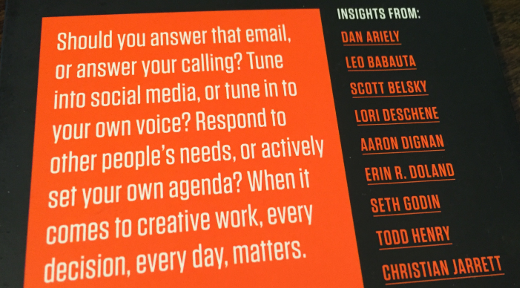
So, how is your day going?
Whenever asked that question, or just now as you read it, you may have begun it with a sigh or groan, or some insincere sense of enthusiasm. As much as we can plan days and focus on whatever we need to do, there are plenty of factors working against us and disrupting our momentum. These disruptors will never go away, and our only choice is to try to bring elements in to manage or counter them.
When I heard about the book Manage Your Day-To-Day: Build Your Routine, Find Your Focus and Sharpen Your Creative Mind I said to myself, “self, how can I pass on reading this?” The book is a collection of writings and interviews with 20 “creative minds.” Where some I have heard of, like Seth Godin and Tony Schwartz, most of the rest I had not. Yet each of the contributors were very intriguing, yet practical. Manage Your Day-To-Day is a good read that gets you thinking about your own routines and practices and how to get the “most” from them, whatever “most” means to you.
As I read the book, my takeaways from it were not from the specifics of the book, rather from its big picture, and are as follows.
Misery loves company, but only if you want to be miserable together – As I read the dozen pieces from the 20 authors, nobody was saying that they have overcome chaos and their lives are exactly as they want them. Yet they did admit to challenges and offered both general and specific advice on how they are conquering what challenges them.
You deserve a break today – How many times have you been working on something and someone asks you about lunch, and you are thinking, “gee, I just had breakfast!” (Ok, you can put your hands down now.) I have written man times here at The Hot Iron about the creative process – or if you are so inclined, simply thinking – and the need to get away to change the scenery, recharge the brain and come back with a fresh focus.
In my current role, in the employee handbook for my firm it actually mentions taking breaks during the day just for that reason. As a matter of fact, I am writing this very blog post on one of those breaks. And on the way to the Starbucks where I am writing this, I was able to easily think through something for work that my brain kept tripping on. Where I thought I dropped the ball on something, I actually did not, and completely followed through. A nice thought to have in my head as I return to the office.
Where was Scrum? – As I read this book after reading Jeff Sutherland's book on Scrum, using Scrum would be a perfect way to help you manage the creativity. As a matter of fact, I recently setup my own scrum board for myself, with tasks such as writing this blog post and fixing the closet doors in my kid's bedroom.
I recommend Manage Your Day-To-Day for anyone who is looking for ideas and encouragement on improvement of their productivity or just to add some calm into their lives. This book is one I bought myself after reading about it somewhere – sorry, I forgot, as I have had the book for a while. As I always pass along books, for this one I placed it on a shelf in the kitchen of my office with other books people have left there as a mini-library. It will be interesting if anyone takes it, and even more so if they took it after reading this blog post!
Have you read Manage Your Day-To-Day? I welcome your thoughts on the book in the comments of this post.
This is from The Hot Iron, a journal on business and technology by Mike Maddaloni.
Did you enjoy this? Subscribe to The Hot Iron by RSS/XML feed or Read by Email.
Book Take-Aways • Business • Diversions • Strategize • Thrive • (0) Comments • Permalink
Football Teams Winning And The Impact On Ticket Cost by TickPick
By Mike Maddaloni on Sunday, December 20, 2015 at 08:50 AM with 0 comments

As the saying goes... on any given Sunday, any team in the NFL can beat any other team. What late NFL commissioner Bert Bell said decades ago still rings true today, as can be seen with a recent game involving my beloved Patriots and a certain team from Philadelphia. This parity in competition is good for the game of football, but not always good for the fans, especially if they can't get in to see their team due to the increasing cost of NFL tickets.
As someone who had Patriots season tickets during very lean years for the team, as well as traveling to see the team in other NFL cities where it was either extremely easy or hard to get tickets, I have known first-hand the impact on team performance and the impact on going to a football game. When the folks at TickPick created this infographic on winning and the impact on ticket cost for all NFL teams, I had to see it, and they have allowed me to share it with you here.
Click on the sample of the infographic above, or click this link to view the NFL football ticket cost infographic from TickPick full-sized.
As you can see, there's a variety of percent increases in ticket values and costs based on if a football team is a winner or not. What's also interesting to see is the difference in ticket costs. Though the value and cost of New England Patriots tickets can increase by 78% based on their winning, the cost at $479.63 is less than the Chicago Bears at $770.42, whose price only increases by 53%. Knowing a little about both teams, the Patriots base ticket costs are much less to begin with than the football team who plays a couple of blocks from me.
Where this infographic is for football, it is telling for all sports and events. Next baseball season it will be a lot easier and affordable to get a ticket to see David “Big Papi” Ortiz play in his final year here against the Chicago White Sox in US Cellular Field than it will at Fenway Park in Boston. I learned this first-hand when I moved to Chicago the day the Red Sox were playing the White Sox and everywhere I looked I saw Red Sox jerseys, a surreal scene to say the least. Other impacts, including stadium size and season ticket base, play into this as well.
Enjoy this infographic and I welcome your thoughts and stories in the comments to this post if you have experienced this as well and have traveled to see your team in another city due to ticket cost. Thank you to TickPick for letting me share this infographic.
This is from The Hot Iron, a journal on business and technology by Mike Maddaloni.
Did you enjoy this? Subscribe to The Hot Iron by RSS/XML feed or Read by Email.
Diversions • Guest Post • Strategize • (0) Comments • Permalink
Most People Spend Most Of Their Time Around Their Job
By Mike Maddaloni on Monday, December 07, 2015 at 11:12 PM with 0 comments
It came to me a while back, something I guess I always knew subconsciously but only then came to the forefront of my mind – most people spend most of their time around their job. I then decided to put fingers to technology to see if I was right, and here’s my analysis and further thoughts on it.
Jobs and all their trappings
When thinking about how we spend our time, our jobs tend to be at the top of our list. This is of course assuming we don’t sleep most of our lives, but I digress. The job itself is the major time hoarder, assuming the typical 8-hour day. But if your day is anything but typical, it in itself is probably more than 8 hours, give or take a few minutes to a few hours.
As the TV infomercials say, “But wait, there’s more!” There’s the commute to work, both to and from it. You then need to prepare to go to work – wake up, shower (hopefully), eat and of course thinking about work. After work, there is probably some decompression, which involves more thought. If you work for the bare-minimum tech-savvy company, you can probably check your work email on your mobile device, and that adds up quickly, whether it is during the day or off-hours, including weekend. Then there's time devoted to things like doctor's appointments if things aren't so great on the job, but I don't have to go down that path here, do I?
Speaking of those off-hours and weekends, you are also thinking about work in addition to being connected to it. You may also be shopping for work, whether it is clothes, food or other supplies to get you through the day. And let’s face it, you may even take time after (or before) hours and on the weekends to actually do work, taking those time-consuming thoughts into even more time consuming actions.
So what’s your point Mike?
Now that I have set a somewhat somber point, you may be asking why? Why even bring this up?
Where I have thought about this very topic for a while, I wanted to write it out to make it real, tangible, and in my own face, and as a result in yours as well. By doing so, it is a realization that this will play into my upcoming goals for the new year. Where this time allotment towards my job may not be a direct or the primary input to my goals and decisions, but acknowledging it, I am realizing it will have some impact on it. From what I buy to where I live to what I do outside of work to whatever I may not have even thought of, the amount of time that my job currently occupies my time will come into consideration.
This time consumption perhaps consumes you as well – hopefully less, but perhaps even more. And let’s face it, it consumes most everyone. I say most everyone as I realize there are those who may not have to or want to work as much, and have the ability to disconnect from it. It may be because they are wealthy, live a simpler life, have a business or job that does not require as much of their time, work part-time but make enough to make them happy, or something else I couldn’t possibly fathom, but would love to.
Even if your job takes up most of your time, that may be ok, providing you love it, or maybe just a strong like. Or it’s convenient to where you live so your commute time is shorter. Or whatever it is or are, when you look at it written out, I hope you are at a minimum content with it.
The lay of the land
Now that I have painted the picture, do I (or you) want to hang it on the wall, or change it? I am not trying to draw any conclusions here – just simply putting it out as I said earlier, but reserving the right to refer to this in future writings.
I welcome your thoughts on this in the comments to this post… and please leave out any specifics about your job in those comments!
This is from The Hot Iron, a journal on business and technology by Mike Maddaloni.
Did you enjoy this? Subscribe to The Hot Iron by RSS/XML feed or Read by Email.
Blogging • Business • Diversions • Strategize • Thrive • (0) Comments • Permalink
Subscribe to The Hot Iron



The Hot Iron strives to present unique content and point-of-view on business, technology and other topics by Mike Maddaloni, a technology strategist based in Appleton, Wisconsin.
Photo credit: Logan Connor/Oomphotography
Value for Value
If you like what you are reading on The Hot Iron, buy me a coffee!
About Links
In posts here at The Hot Iron there are often links and banner ads for products and services. For some of these links and banner ads, I receive compensation if you click and/or eventually buy said products or services. Where most links are marked as such, it is safe to assume any link or banner ad is a compensated one.